
That Christmas 2025 MongoDB Vulnerability
MongoDB is a Database Management System in the category of NoSQL (an architecture of databasing that is not defined by tables, rows and columns). It uses what Mongo calls the document model, mapping unique objects to distinct documents. At a deeper level it is a database that is binary JSON (BSON), which uses JSON keys to act somewhat like columns in a relational database. This means that the schema is dynamic, depending on the JSON, but the contents are still indexable and searchable just like holding JSON in a very large variable. If you want to dig more into SQL versus NoSQL, check out this convenient article from geeksforgeeks.
How Bad is “MongoBleed” (CVE-2025-14847)?

MongoDB employs compression to optimize network bandwidth, supporting algorithms like Snappy, zstd, and zlib. The MongoDB “wire protocol” has a negotiation step allows the client and server to agree on a compression method for the session.
The flaw is caused by a logical error in the decompression routine:
- An unauthenticated attacker sends a specially crafted MongoDB Wire Protocol payload that purports to be compressed with zlib.
- The server receives the packet and allocates a memory buffer in the heap to store the decompressed output.
- Due to the flaw in message_compressor_zlib.cpp, the decompression function incorrectly returns the size of the allocated buffer rather than the actual length of the decompressed data.
Basically, If the attacker sends a malformed or "undersized" payload that decompresses to little or no data, the server still reports the full buffer size as valid. Consequently, the server processes, and subsequently returns to the client, the entire buffer. This buffer contains uninitialized heap memory, effectively "bleeding" whatever data was previously resident in that memory segment.
Of course, when we try to rate a risk, we have to think in terms of a two dimensional plot of Likelihood & Impact (and both are really a spectrum where your environment can have multiple likelihoods and multiple impacts).
What factors into the likelihood:
- You have MongoDB, and it is running an unpatched version.
- zlib is enabled.
- Default Configuration: In standard MongoDB distributions (Community and Enterprise), the default setting for
net.compression.compressorsissnappy,zstd,zlib. This means zlib is enabled out-of-the-box.
- Default Configuration: In standard MongoDB distributions (Community and Enterprise), the default setting for
- TCP connection is available to the MongoDB server’s listening port (probably tcp/27017)… so obviously internet exposure directly to that port is the most likely, then if it is connectable by other internet exposed devices, then if it is connectable by devices that frequently use the internet (especially workstations and IOTs).
- This is the spectrum that I cannot answer for you. Obviously, the more instances you have directly on the internet, the worse it is. For everything else, it is dependent on how mature your defenses are between devices that they themselves might be used to attack (like if you allow BYOD on the same network, that would certainly change the likelihood).
- For an attacker to get valid data, the attack must execute multiple times, often tens of thousands or even hundreds of thousands of times (because of the randomness of the response, the attacker must “put together” useful stuff from the disjointed responses that are “bled over” beyond the actual proper response). If you need to measure possible previous compromise, you might be able to review your logs for incessant connections from the same source when your MongoDB was not patched (you will not be able to tell what was exfiltrated though, as it is a flaw, so it would not be properly logged).
- Mongo log event IDs: connection events (22943), metadata events (51800) — did the client properly introduce itself, and disconnection events (22944)
What factors into the impact:
There is a large amount of randomness in the impact potential. The issue is the vulnerability allows an attacker to read “whatever was previously written to memory in the location where the legitimate heap is now prepared for the decompression”, which is wildly random, but also will eventually be something impactful. Given enough time, attacks against this vulnerability will always lead to exfiltration, but it is impossible to predict what will be or has been extracted, because it depends on what was available that very nanosecond.
Do I have MongoDB?

Well, I cannot tell you. But let’s assume you do, and you don’t know it. We have a few ways to inventory.
Search for open ports from the network.
- In general, even if the DB is intended for local clients, it will have port 27017 open (* you can have architecture that either blocks that port from clients that shouldn't be talking to it (but it still may be vulnerable), or an admin moved the listener to another port).
- Nmap Scan: Use Nmap to scan a range of IP addresses for port 27017.
- Command:
nmap -p 27017 192.168.1.0/24(Replace the IP range with your subnet). - Detailed Discovery: You can use Nmap scripts to extract version info from discovered instances:
nmap -p 27017 --script mongodb-info <target-ip>.
- Command:
- You could use any port scanner for this. In bigger infrastructures, check your vulnerability scannner like Tenable or OpenVAS.
- Nmap Scan: Use Nmap to scan a range of IP addresses for port 27017.
Inventory installed software and running processes.
(it is possible to rename things to brand them, so you might have XKE DatabaseEngine that is actually MongoDB, but let's assume MongoDB was installed “normally”)
- Linux:
- Check Processes: Run
ps aux | grep mongodto see if the server binary is active. The process name is typically mongod. - Check Open Ports: Run
netstat -tulnp | grep 27017to see if any process is listening on the default MongoDB port. - Check Services: Use
systemctl status mongodor/etc/init.d/mongod statusto check if it is running as a background daemon. - Check Packages:
apt list --installed | grep mongoORdpkg -l | grep mongoORdnf list installed | grep mongoORyum list installed | grep mongo
- Check Processes: Run
- Windows:
- PowerShell:
- Run
Get-Process mongod(or search for mongod.exe anywhere in the filesystem). - Run
Get-Service | Where-Object {$_.Name -like "*mongod*"} | Select-Object Name, DisplayName, Status
- Run
- Service Manager: Open services.msc and look for a service named like "MongoDB Server".
- PowerShell:
- macOS:
- Terminal:
Run ps -ef | grep mongodto identify running processes. - Homebrew Services: If installed via Homebrew, run
brew services listto see if the mongodb-community service is active. - Search: for mongod anywhere in the filesystem
- Terminal:
MongoDB is often hidden inside containers where it won't show up in a standard OS process list.
- Docker:
- List Containers: Run
docker psand look for images named mongo or containers mapping port 27017. - Inspect Ports: If you see a container, checking its port mapping (0.0.0.0:27017->27017/tcp) confirms it is exposed to the host network.
- List Containers: Run
- Kubernetes:
- Scan Pods: Run
kubectl get pods --all-namespacesand look for pods with "mongo" in the name. - Scan Services: Check for services exposing the database to the cluster:
kubectl get svc --all-namespaces.
- Scan Pods: Run
In cloud environments, you might be able to query your infrastructure metadata to find instances based on open ports or resource types.
- AWS
- Find by Open Port: You can use the AWS CLI to find Security Groups that allow traffic on port 27017. For instance, you could use something like:
- Command:
aws ec2 describe-security-groups --filters Name=ip-permission.to-port,Values=27017 --query "SecurityGroups[*].[GroupName]" --output text
- Command:
- Resource Tagging: If your organization uses tags, search for resources tagged with "Database" or "MongoDB" using the Resource Groups Tagging API.
- Find by Open Port: You can use the AWS CLI to find Security Groups that allow traffic on port 27017. For instance, you could use something like:
- Azure
-
Azure Resource Graph: Use the Resource Graph Explorer to run a query network rules that allow 27017. For instance, you could use something like:
(note this suggestion would find resources that have 27017 OR all (*) ports open)
- Query:
resources | where type == "microsoft.network/networksecuritygroups" | mvexpand rules = properties.securityRules | where rules.properties.access == "Allow" and rules.properties.direction == "Inbound" and (rules.properties.destinationPortRange == "27017" or rules.properties.destinationPortRanges contains "27017" or rules.properties.destinationPortRange == "*") | project name, resourceGroup, subscriptionId, [rules.name](http://rules.name/), rules.properties.destinationPortRange - Query:
securityresources | where type == "microsoft.security/softwareinventories" | where properties.softwareName contains "MongoDB" | project properties.softwareName, properties.version, id
- Query:
-
- GCP (Google Cloud Platform)
- Cloud Asset Inventory: Use the Cloud Asset Inventory to search for resources. You can export asset metadata to BigQuery to search for specific configurations or instance names.
- gcloud: You might be able to use gcloud to find firewall rules, assest names, or tag names. For instance, you could use something like:
gcloud compute firewall-rules list --filter="direction=INGRESS AND (allowed[].ports:27017 OR allowed[].ports:*)" --format="table(name,network,direction,sourceRanges.list(),allowed[].map().firewall_rule().list():label=ALLOW,targetTags.list())"gcloud compute instances list --filter="tags.items:mongo" --format="table(name, tags.list())”gcloud compute instances list --filter="name ~ mongo" --format="table(name, zone, status, networkInterfaces[0].accessConfigs[0].natIP:label=EXTERNAL_IP)”
- VPC Flow Logs: Analyze VPC Flow Logs to identify internal IP addresses sending traffic to or receiving traffic from port 27017.
Is my MongoDB vulnerable?
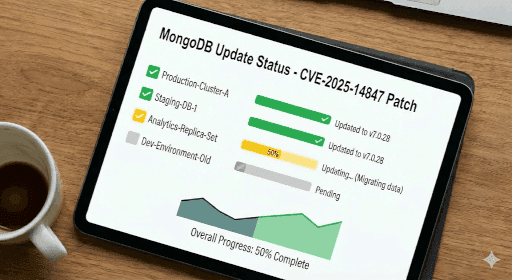
The urgency of updating is a risk analysis, but the fact that you have read this far, means that you probably have some MongoDB and are wondering what versions are ok and which ones are not. (I personally would just patch all the ones you find to at least the most recent version of their series)
| Series | Vulnerable Versions | Patched Version (Safe) | Status |
|---|---|---|---|
| v8.2 | 8.2.0 through 8.2.2 | v8.2.3 | Current Stable |
| v8.0 | 8.0.0 through 8.0.16 | v8.0.17 | Current Stable |
| v7.0 | 7.0.0 through 7.0.27 | v7.0.28 | Current Stable |
| v6.0 | 6.0.0 through 6.0.26 | v6.0.27 | Supported |
| v5.0 | 5.0.0 through 5.0.31 | v5.0.32 | End of Life (Patched) |
| v4.4 | 4.4.0 through 4.4.29 | v4.4.30 | End of Life (Patched) |
| v4.2 | All versions | None | End of Life (Unpatched) |
| v4.0 | All versions | None | End of Life (Unpatched) |
| v3.6 | All versions | None | End of Life (Unpatched) |
After you patch
If you haven't already, start putting together your vulnerability management & 3rd-party management documentation. And if patching scares you, you should put that itself into your list of things that needs to get fixed someday, because you can depend on three things in life… vulnerabilities, taxes, and death … in that order. You can quote me on that!
Patch wisely friends,

Aaron Galbraith, SecureIT.is - Cybersecurity Consultant
I have worked in IT for over 25 years. I eventually decided I love protecting stuff just a little bit more than I love fixing stuff. I write articles for SecureIT.is to help regular folk, and tired IT folk, make sense of cybersecurity.
We do Security Awareness Training like these articles. And we can help you get started or finished with your vulnerability management goals. Contact us for more information.